There is a Linux Launchpad Team for owners/developers of the Toshiba Satellite U500 Series laptop:
http://launchpad.net/~toshiba-u500-series


http://launchpad.net/~toshiba-u500-series

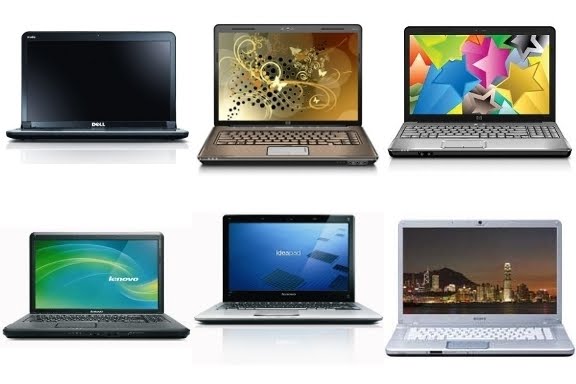

Product Name G60-120US Product Number FS184UA#ABA Microprocessor 2.00 GHz AMD Turion X2 RM-70 Dual-Core Mobile Processor Microprocessor Cache 1 MB L2 Cache Memory 3072 MB Memory Max 3072 MB Video Graphics NVIDIA GeForce 8200M Video Memory Up to 1470 MB Hard Drive 250 GB (5400 rpm) Multimedia Drive LightScribe SuperMulti 8X DVD±R/RW with Double Layer Support Display 15.6" Diagonal High Definition HP Brightview Display (1366x768) Fax/Modem High speed 56K modem Network Card Integrated 10/100 Ethernet LAN Wireless Connectivity Wireless LAN 802.11a/b/g/n WLAN Sound Altec Lansing speakers Keyboard 101-key compatible with full size keyboard with integrated numeric keypad Pointing Device Touch Pad with On/Off button and dedicated vertical scroll Up/Down pad External Ports
- 5-in-1
integrated Digital Media Reader for Secure Digital cards, MultiMedia
cards, Memory Stick, Memory Stick Pro, or xD Picture cards- 3 Universal Serial Bus USB 2.0
- 1 VGA (15-pin)
- 1 HDMI
- 1 RJ-11 (modem)
- 1 RJ -45 (LAN)
- 1 headphone-out
- 1 microphone-in
Dimensions 14.88" (L) x 9.9" (D) x 1.38" (min H)/1.61" (max H) Weight 6.06 Ibs Security
- Kensington MicroSaver lock slot
- Power-on password
- Accepts 3rd party security lock devices
Power
- 65 W AC Adapter
- 6-cell Lithium-Ion (Li-Ion)
What's In The Box WebCam with Integrated Microphone
Hardware
Product Name G60-530US Product Number VM084UA#ABA Microprocessor 2.10 GHz Intel Pentium Dual-Core Processor T4300 Microprocessor Cache 1 MB L2 Cache Memory 3072 MB Memory Max 4096 MB Video Graphics Intel Graphics Media Accelerator 4500M Video Memory Up to 1309 MB Hard Drive 320 GB (5400 RPM) Multimedia Drive LightScribe SuperMulti 8X DVD±R/RW with Double Layer Support Display 15.6" Diagonal High Definition HP BrightView Display (1366x768) Fax/Modem High speed 56k modem Network Card Integrated 10/100 Ethernet LAN Wireless Connectivity
- Intel WiFi Link 1000BGN
Sound
- Altec Lansing
Keyboard 101-key compatible with full size keyboard with integrated numeric keypad Pointing Device Touch Pad with On/Off button and dedicated vertical scroll Up/Down pad External Ports
- 5-in-1 integrated Digital Media Reader for Secure Digital cards, MultiMedia cards, Memory Stick, Memory Stick Pro, or xD Picture cards
- 3 Universal Serial Bus (USB) 2.0
- 1 Headphone out
- 1 microphone-in
- 1 HDMI
- 1 VGA (15-pin)
- 1 RJ-11 (modem)
- 1 RJ -45 (LAN)
Other Devices
- HP Webcam with integrated microphone
Dimensions 14.88" (L) x 9.9" (D) x 1.38" (min H)/1.72" (max H) Weight 6.57 lbs Security
- Kensington MicroSaver lock slot
- Power-on password
- Accepts 3rd party security lock devices
Power
- 65W AC Adapter
- 6-Cell Lithium-Ion battery

Product Uses: Connecting with Friends, research, statistical analysis, web surfing, video games
Title: Great on the Go Date: October 25, 2009
Review:This is probably the nicest laptop I've ever had for the highly mobile lifestyle.
The web site doesn't, in my opinion, do a very good job of describing the form factor of this little machine. A 14" screen doesn't sound like it's much smaller than the usual 15" screens that you find every day, but this laptop is quite a bit smaller and lighter than the 15" it replaces. It fits nicely in my lap on a bus or train, and I barely notice the weight difference in my bag. The display, while diminuitive, is bright, crisp, and readable- and I'm using the 720p display.
The build quality of the machine is solid. It's held closed just by the friction of the hinge, but that's plenty. The colourful matte finish looks professional and smooth. The display half of the machine on the inside, as well as the bit above the keyboard, are done in black gloss, which does pick up fingerprints, but they're not bits you have to touch.
The keyboard is a laptop keyboard. That said, it's still quite comfortable. You may have a bit of trouble if, like me, you're used to a lot of spacing between letter keys and other function keys on the keyboard, like the arrow keys. There is no space on this keyboard between anything. The F-key configuration (where the F1-F12 keys are mapped to media keys by default, and provide their normal F-key when combined with Fn) is actually very sensible, but if you don't like it it can be disabled in the BIOS. Also, yes, this mapping is done in the BIOS, so it's the same in Linux or any other OS. And Alt-F4 addicts- it seems that that keystroke combo works without Fn, but I'm running Linux so Windows users, YMMV.
The touchpad is a bit close to the keyboard, and that could get annoying if it weren't for my judicious use of syndaemon. Linux users, look it up. Your sanity may depend on it. I haven't had any other troubles with it, though, so I must conclude that the issues others have had are OS- or driver-specific.
Oh, and you may have missed this- gigabit ethernet!
Speaking of Linux, this machine runs perfectly well under it. Everything is automatically detected and enabled in Ubuntu, though you do need to enable the proprietary wi-fi and nVidia drivers, so you might need to hook it up to the internet via Ethernet to do that at first. Personally, I'm running Gentoo, and it works spectacularly.
There are two issues I have with this machine. One is the lack of a built-in card reader. This is a feature that's pretty standard on laptops nowadays, and it shouldn't be an "option"- not to mention I couldn't find the option in the customization system. The other is that it does not come with Linux pre-installed. As I mentioned, it runs Linux very nicely- why Dell won't give us the option on this system is beyond me, especially when it's such a unique system.
And no, the lack of an optical drive hasn't bothered me yet.


