Ubuntu linux sound in headphones and speakers
Ubuntu sound problem in HP Dell Toshiba and other laptops and desktops
Ubuntu linux sound in headphones and speakers
Ubuntu sound problem in HP Dell Toshiba and other laptops and desktops
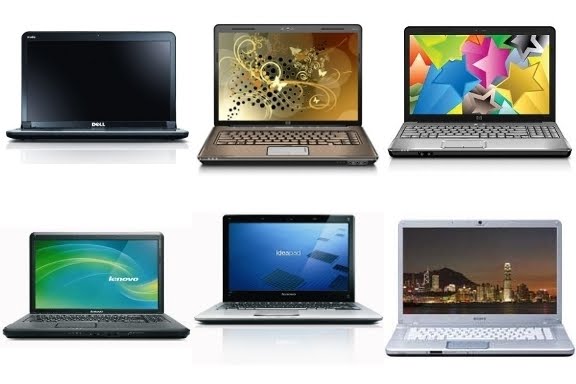
After more than a year since it's creation, the http://linux-best-seller-laptops.blogspot.com/ website has compiled information for many best seller laptop launchpad teams.
Right now, the HP G-series Launchpad team has more than 60 members, followed by the HP Envy series and the Lenovo G-series teams. Other teams in this linux best seller laptops website are the Sony Vaio E-series, the ASUS N-series and the Lenovo IdeaPad U-series, all of them with over ten team members and growing.
With Ubuntu 10.04 on the G72-110EL everything works out of the box, except for audio, but it's a quick fix:
-in System Administration: add the ppa:ubuntu-audio-dev repository
-in Terminal: sudo apt-get install linux-alsa-driver-modules-`uname -r`
This team is a group of Asus N-Series laptop
owners and/or developers interested in getting it to work 100% under
Linux (e.g., N61Jv, N61JV-X2, N71JV-X1,N61JQ-X1, N61JQ-A1, N71JQ-X1,
Asus N82Jv, etc).Please subscribe to this team if you are new. If you have 1 minute to
spare, please participate to the poll below:
http://www.doodle. com/xp3sfyu4e3z 9bs6c You can check the model and details of you laptop with these
commands:
sudo dmidecode -s system-product-name
sudo dmidecode -s system-version
lspci -vnnn | perl -lne 'print if /^\d+\:.+(\[\S+ \:\S+\] )/'
remove_watermark.sh
How to remove watermark reposted from BaffledMollusc
Quote:Right click on the desktop and choose Create Document -> Empty File
Call it something like "remove_watermark.sh"
Double click on the file you've created to open it in the text editor
Paste the following text into the text editorSave the file and close the text editorCode:#!/bin/sh
DRIVER=/usr/lib/xorg/modules/drivers/fglrx_drv.so
for x in $(objdump -d $DRIVER|awk '/call/&&/EnableLogo/{print "\\x"$2"\\x"$3"\\x"$4"\\x"$5"\\x"$6}'); do
sed -i "s/$x/\x90\x90\x90\x90\x90/g" $DRIVER
done
Right click on the desktop icon you've created and choose "Properties->Permissions"
Tick the box "allow executing file as program"
Close the properties dialog
Open a terminal (Applications -> Accessories -> Terminal)
Type the following two lines into the terminal, pressing enter after each line
cd Desktop
sudo sh remove_watermark.sh
Now enter your login password when prompted
Finally log out and back in and the watermark will hopefully be gone!

I am running Ubuntu 10.04 on an HP G60-458DX. No problems, and nothing like the blank screen problems Wade reported. However, the "clean install" was Ubuntu 9.10 and then I upgraded to 10.04.

Find here a HOWTO document on how to make the Linux b43 wireless driver work for laptops like the Lenovo G550:
http://ubuntuforums.org/showpost.php?p=8857311&postcount=461
